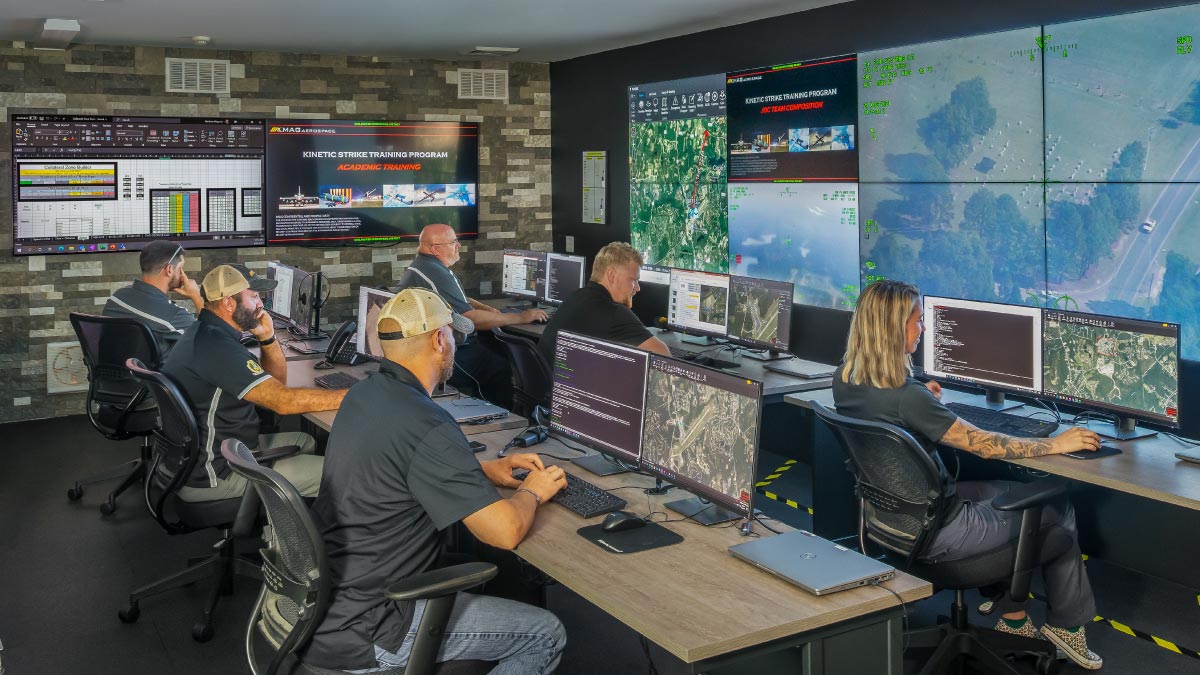
3. Design Around Workflows, Not Technology
Command centers should be designed around the needs of the operators during incidents and regular operations rather than individual technologies.
Organizations often focus too quickly on displays and equipment instead of understanding how operators will actually use the space day to day.
“Designing your command center and structuring your team around operational needs is the cornerstone of effective workflow development, not technology alone,” stated Lt. Sean Riley, Assistant Director of Public Safety at Constant Technologies, underscoring the critical importance of aligning command center design with organizational objectives and fostering cross-functional collaboration.
- Important workflow considerations include:
- How operators communicate during incidents
- How many people need to see the information
- Which information must always remain visible
- How layouts change during emergencies
- How analysts share information with decision makers
- How information flows between departments
As Lt. Sean Riley further explained, “It’s much more complex than throwing a couple computers on a desk and throwing a couple big screen TVs on a wall,” reinforcing that command centers are mission-critical operational environments built to support real-time coordination, situational awareness, and decision-making.
4. Don’t Treat It Like a Standard AV Project
One of the strongest warnings from the webinar was that command centers should not be approached like traditional AV or conference room projects.
The speakers explained that operation centers involve:
- Complex AV integration
- Multiple systems and workflows
- Real-time operations
- Continuous uptime requirements
- Mission-critical decision making
When choosing your partners, whether they are technology vendors, or integrators, their experience with your operations is crucial. They will be your ally through the entire process. It is important to work with experienced partners who understand operational environments and long-term support requirements.
5. Prioritize Ease of Use
Operators in command centers manage large volumes of information simultaneously. Systems need to be intuitive and easy to use, especially under pressure and in emergency situations.
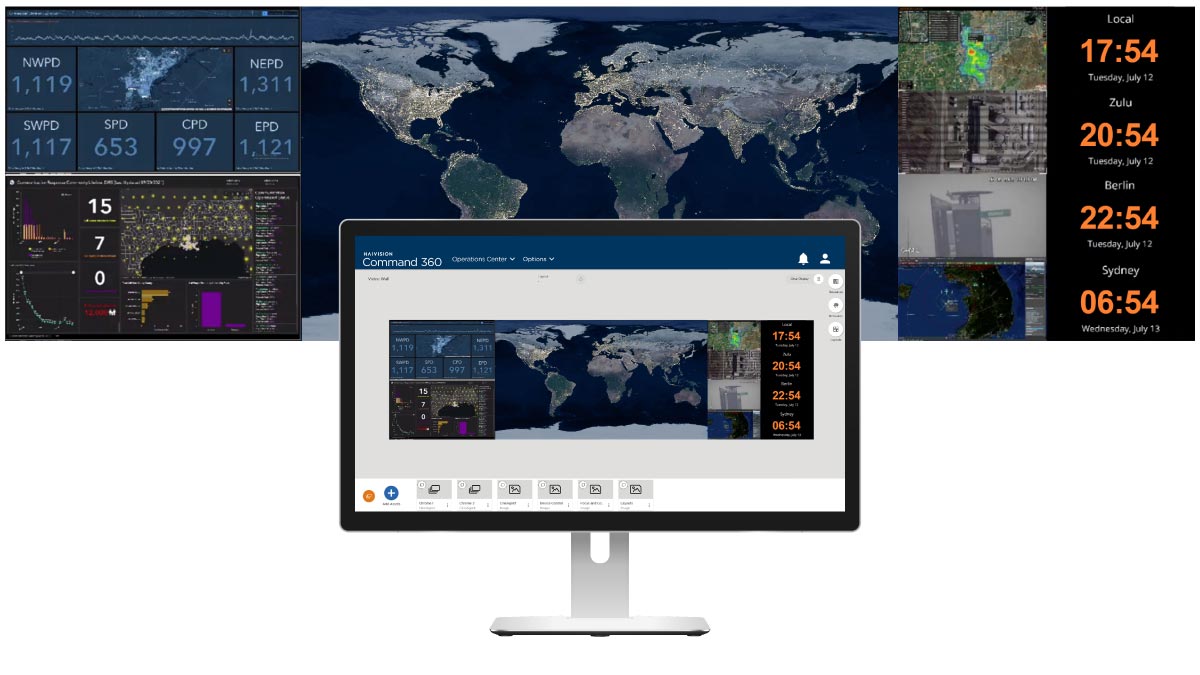
Video wall solutions (also known as visualization platforms) should simplify workflows by making it easy to:
- Manage multiple sources
- Switch layouts quickly
- Share information
- Customize views for operators
- Support shift-based workflows
- Automate repetitive tasks
Fast access to the right information becomes critical during emergency response situations where every second matters.
6. Prepare for Real-Time Operations
Modern command centers must support continuous operations, fast decision-making, and information sharing across teams and agencies.
That means building environments that are designed for:
- 24/7 reliability and operational continuity
- Ongoing support and long-term maintenance
- Fast troubleshooting during active incidents
- Sharing video feeds and real-time intelligence
- Situational awareness across departments and jurisdictions
As command centers become more interconnected, organizations need reliable video wall and video-sharing systems that support collaboration both inside and outside the room.
“Command centers should not be treated like ‘a typical AV project,’” said Dustin Bilthouse, Director of Partner Alliances at Haivision.“These environments are as much critical infrastructure as the systems they are designed to monitor, which means organizations need reliable technology, operational continuity, and information-sharing capabilities that support real-time decision-making across teams and agencies.”
7. Future-Proof the Room
Operational requirements continue evolving, which makes scalability an important part of command center planning.
Organizations should consider future growth areas such as:
- Additional operator positions
- Drone operations
- Expanded collaboration spaces
- Additional video sources
- New departments or partner agencies
- Emerging AI capabilities
The session also highlighted the importance of nearby collaboration or operations rooms where leadership teams can coordinate during major incidents and emergency response situations.
At the same time, organizations do not always need to start with a fully scaled deployment. A smaller proof-of-concept room can help teams demonstrate operational value, validate workflows, build stakeholder support, secure future funding, and refine long-term planning.
This phased approach allows organizations to start small, build only when needed, and scale more effectively over time while reducing risk early in the process.
“Future proof your room. Build it a little bigger than you need today,” said Lt. Sean Riley, Assistant Director of Public Safety at Constant Technologies, highlighting the importance of planning command centers with long-term growth in mind. He also emphasized that organizations do not need to start with a fully scaled deployment, recommending “a budget friendly proof-of-concept room” that can help build operational traction, secure future funding, and eventually grow into “a room that is the right size for your organization.”