
Article Summary
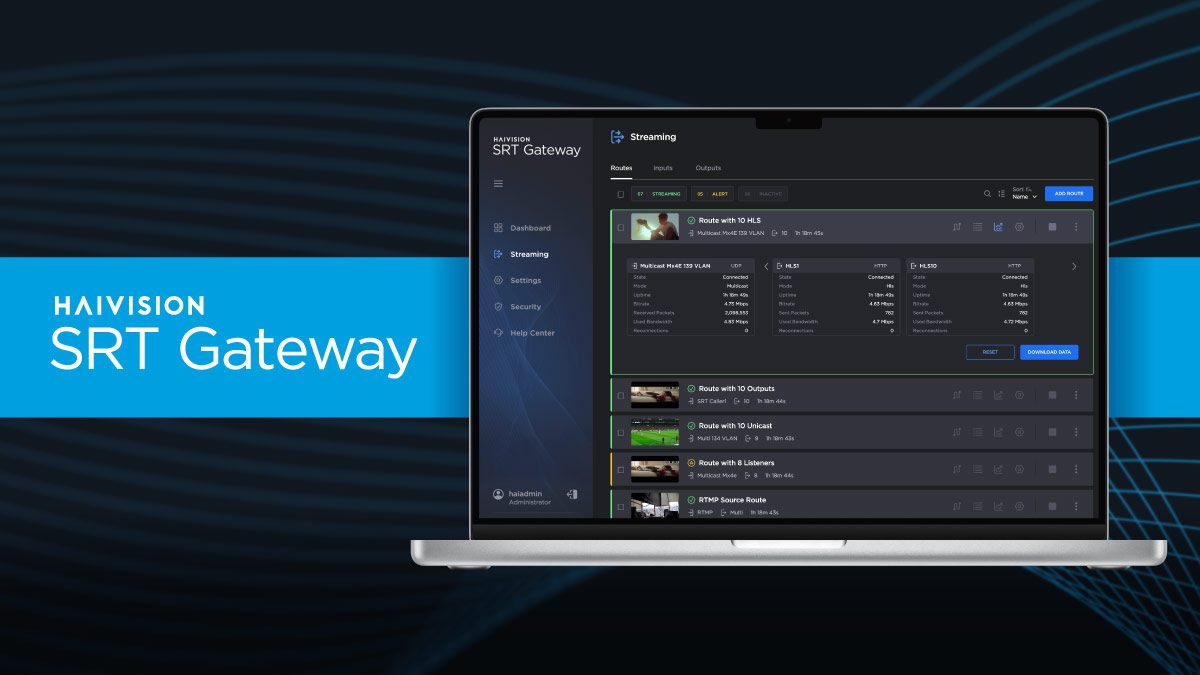
The latest update to Haivision SRT Gateway introduces a redesigned user experience that simplifies large-scale IP video route management for broadcasters and media organizations. Key enhancements include:
- Visual drag-and-drop route building
- Modular inputs and outputs
- Thumbnail previews for confidence monitoring
- Search tools and labels for faster navigation
- System dashboard with performance metrics
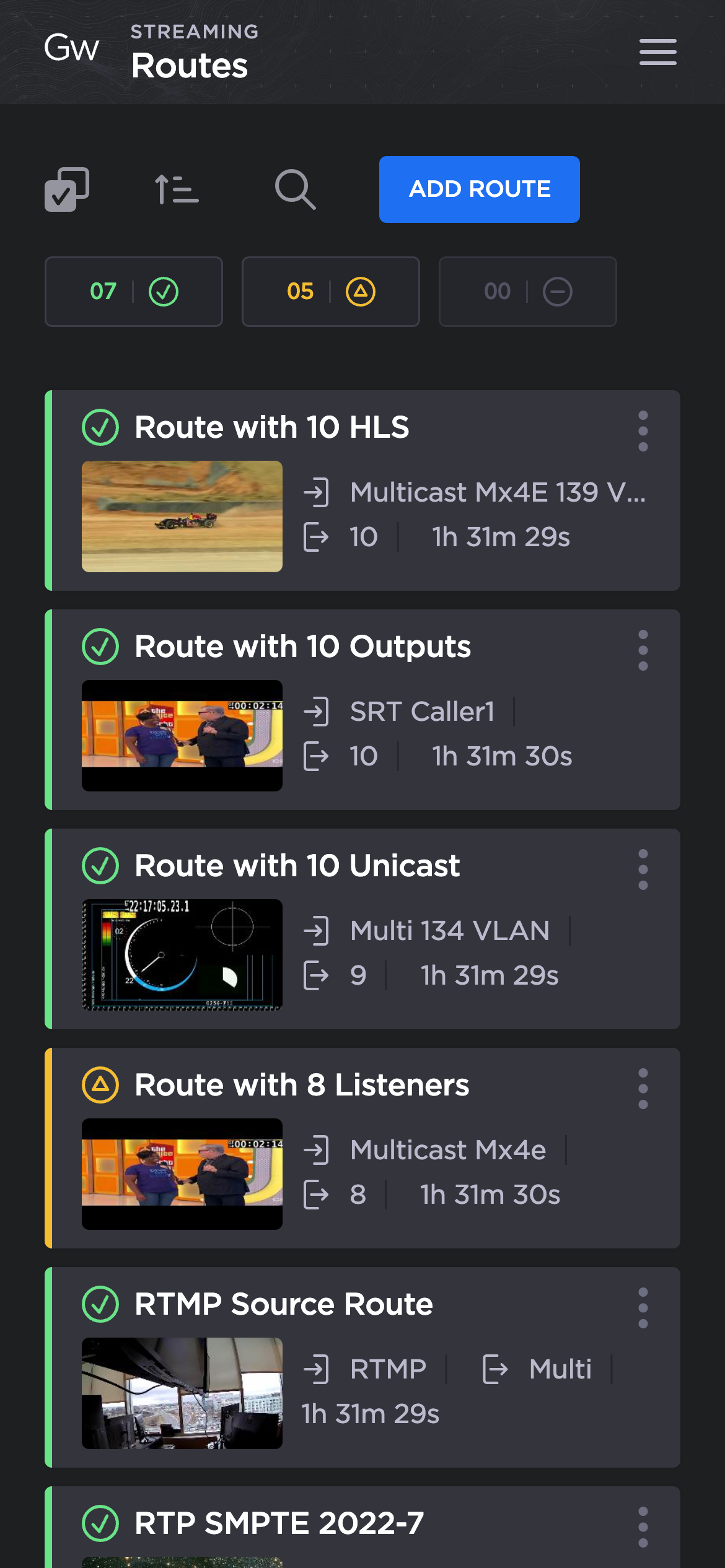
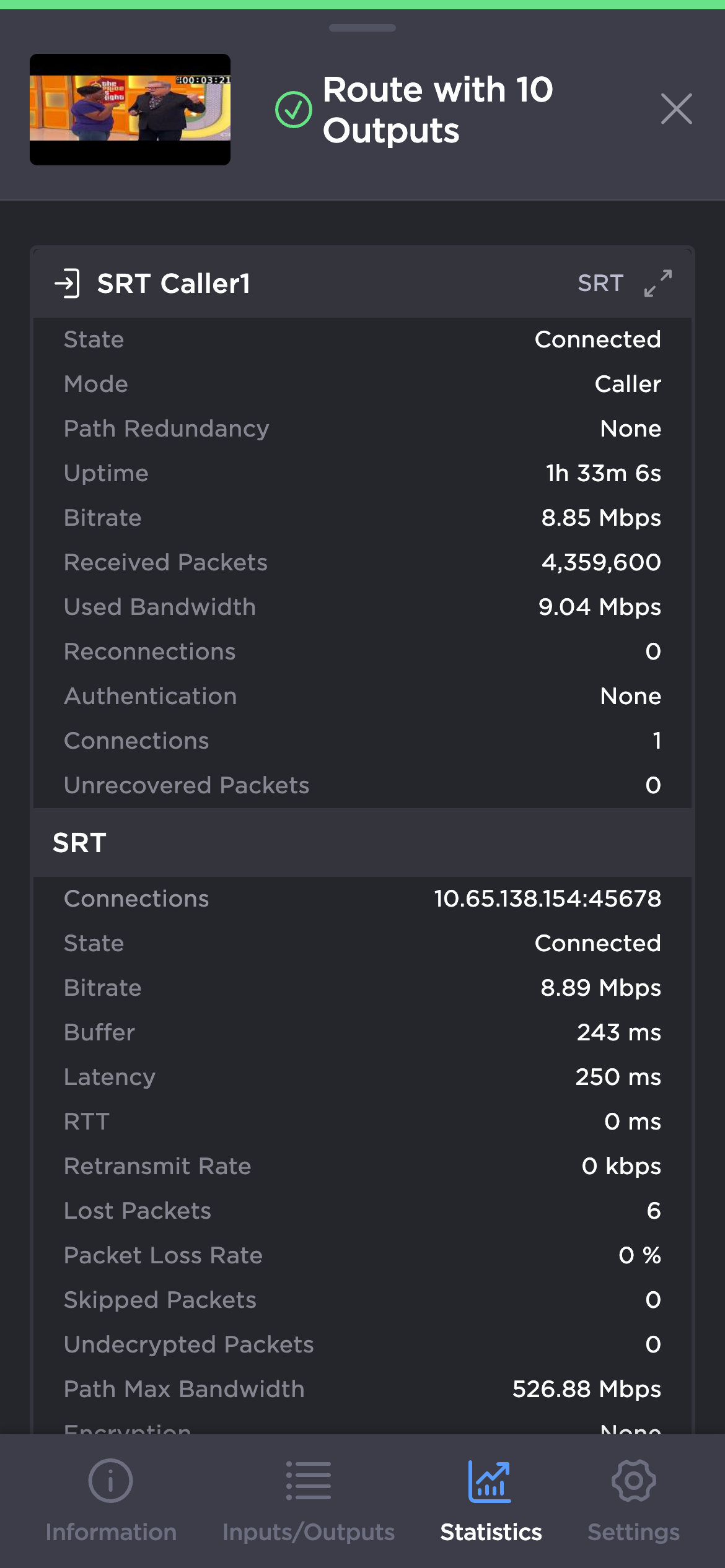
- Full mobile-device support for remote monitoring and control
Managing large numbers of video routes is a common challenge for broadcasters and organizations working with IP video workflows including those using the SRT protocol. Haivision SRT Gateway has always been a workhorse tool for handling a large number of streams – routing and duplication, protocol conversion, firewall traversal, and more – and now, with the latest release of Haivision SRT Gateway, the process has gotten significantly easier.
This update introduces significant enhancements including a redesigned user interface focused on simplifying route creation and management at scale. It also brings thumbnail previews for added confidence, individually configurable inputs and outputs, and the ability to access the interface from mobile devices for a consistent experience aligned with other Haivision broadcast solutions.
Thumbnail Previews for Stream Confidence
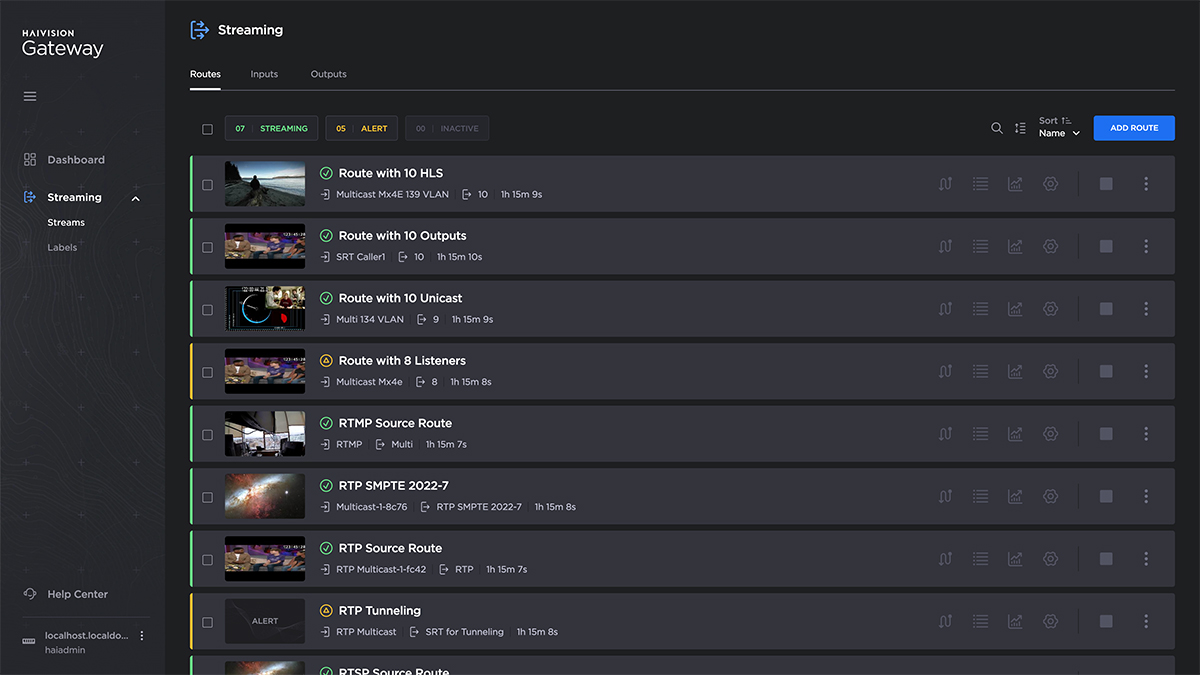
SRT Gateway users now have the option to enable thumbnail previews to get a quick visual confirmation of active streams. This feature helps teams verify content instantly, reduce reliance on naming conventions, and minimize the risk of routing errors during live operations.

Streamlined Route Building and Workflow Management
One of the most important improvements in this release is how routes are created and managed. The updated approach simplifies complex configurations and makes it easier to scale operations.
Configure Individual Inputs and Outputs
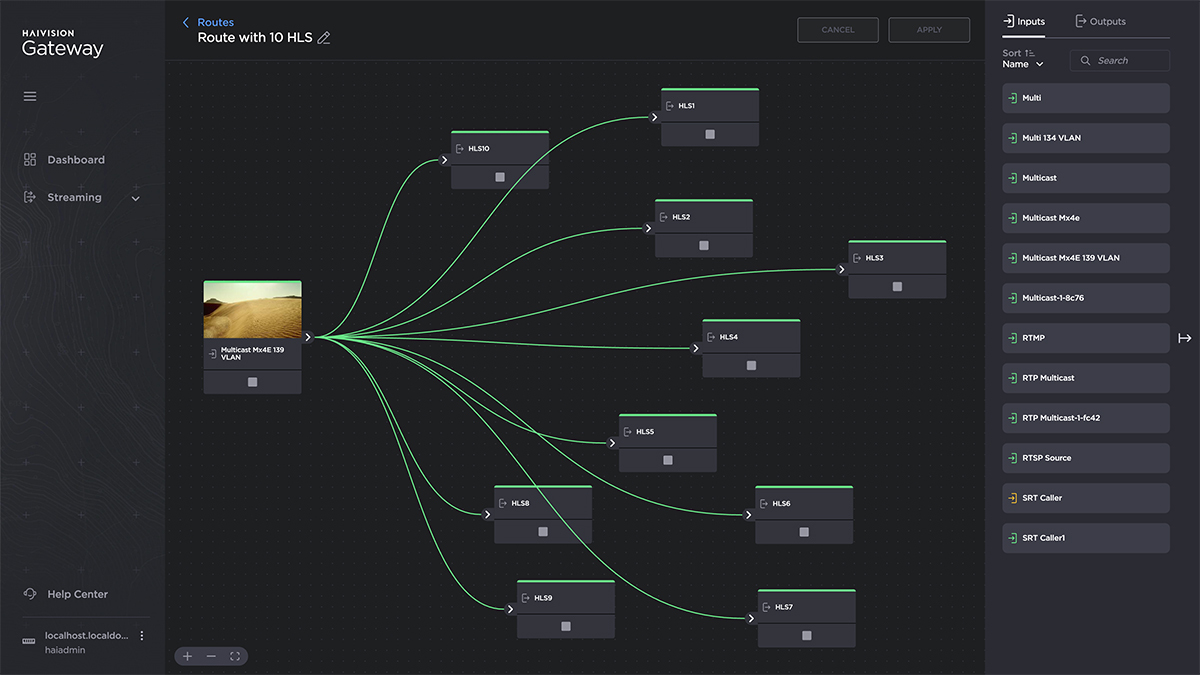
Inputs and outputs are now defined independently from routes. This allows them to be configured once and reused across multiple routes, reducing setup time and errors while improving consistency.

Easily manage routes with the workflow builder
A new drag-and-drop workflow view allows users to create and edit routes. This visual approach makes it easier to understand complex configurations and speeds up the process of building and modifying routes.
Apply labels and organize routes
Managing large deployments is now more efficient with built-in labeling and search capabilities. Users can organize routes into logical groups and quickly locate what they need using labels or text search.
Together, these enhancements make it much easier to create and manage large numbers of routes, which is a key requirement for many SRT Gateway deployments.

A Unified System Dashboard
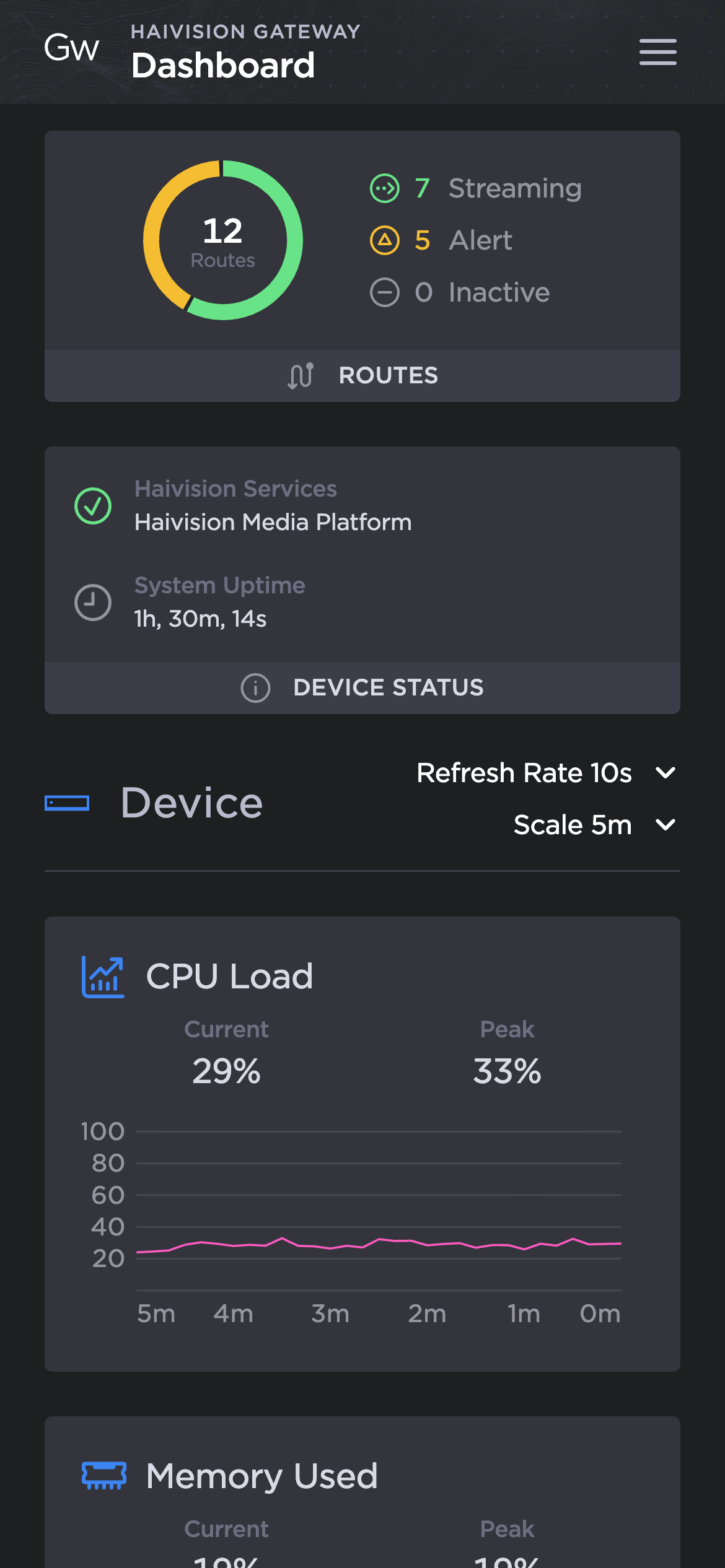
The new SRT Gateway system dashboard provides a centralized view of important metrics, making it easier to monitor performance and system health. Operators can quickly assess the state of their deployment, identify potential issues, and respond in real time. By bringing all critical information into one place, the dashboard improves visibility and operational efficiency.
Access the UI from a smartphone or tablet
With full mobile support, the Haivision SRT Gateway user interface can now be accessed from outside a control room. The intuitive interface allows users to access, monitor, and manage the system from their mobile devices, making it easier to stay connected and act from anywhere.
Designed for Modern IP Video Workflows
Haivision SRT Gateway continues to evolve to meet the demands of modern broadcast environments.
By simplifying route management, introducing visual workflows, and improving accessibility, this release helps teams operate more efficiently and with greater confidence when delivering high-quality live video over IP.
